Convert all the text to outlines

text after converted to curves or outlines and given some treatment.
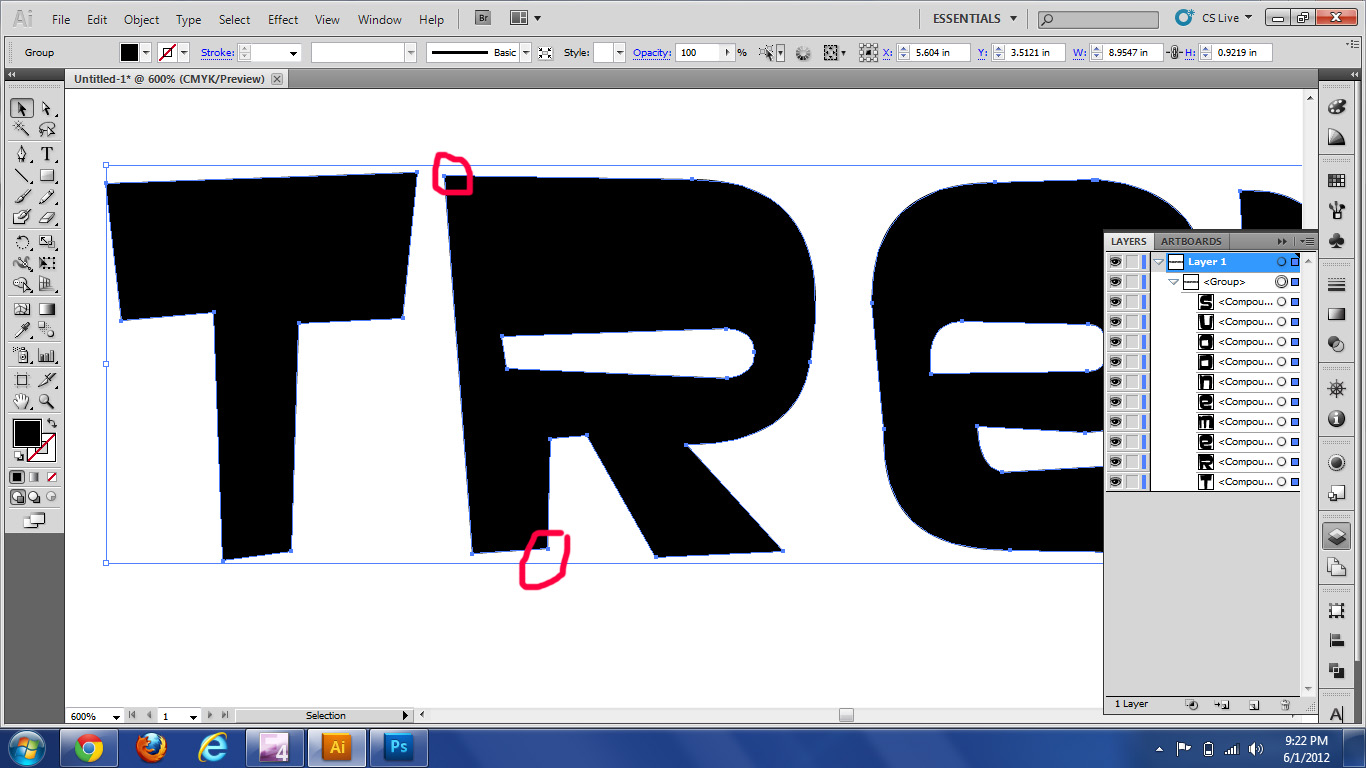
Basically after you convert to outlines your text will no longer be editable as text but it will become a shape; it will have beizer curves on every corner and you will be able to change the shape. However if you misspelled something you wont be able to change an “e” for an “a” as easy as you would be if it still was text (with the text editor).
Converting the text not only will keep the letters even if you send the file to someone who doesn’t have the font file in their computer, but say you want to make one of the letters fatter or have a little more flare to it, or connect with the one next to it a different way you are now able to change that for you have intricate shapes as a canvas to bring your vision into reality. Here is how you convert the text:
- Once you have your text, run the spell check (CRTL+I or go to the edit menu and check spelling).
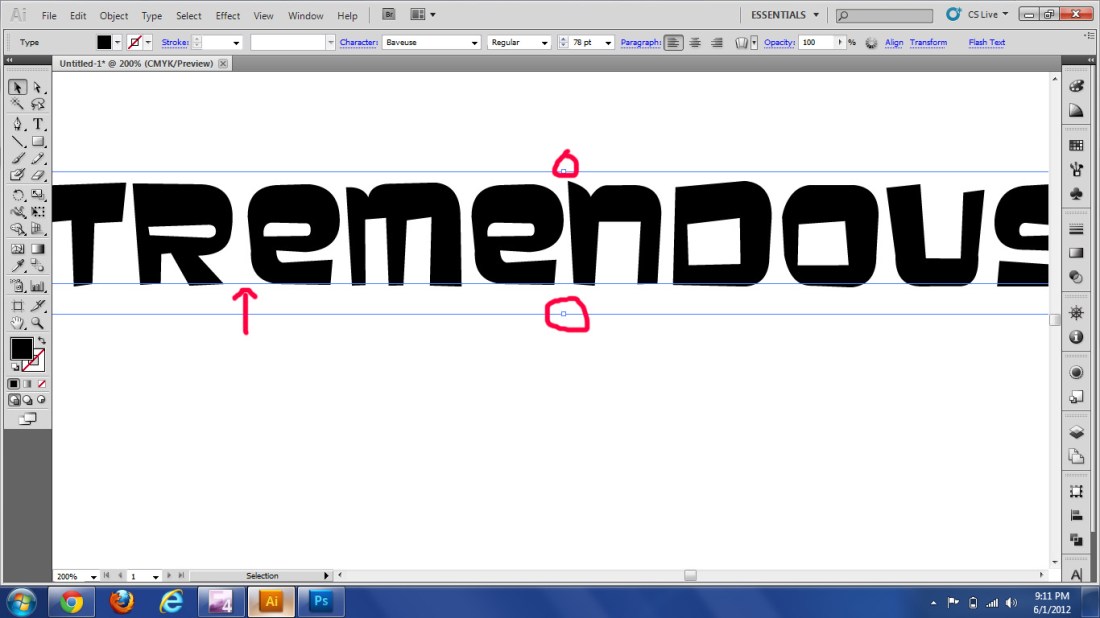
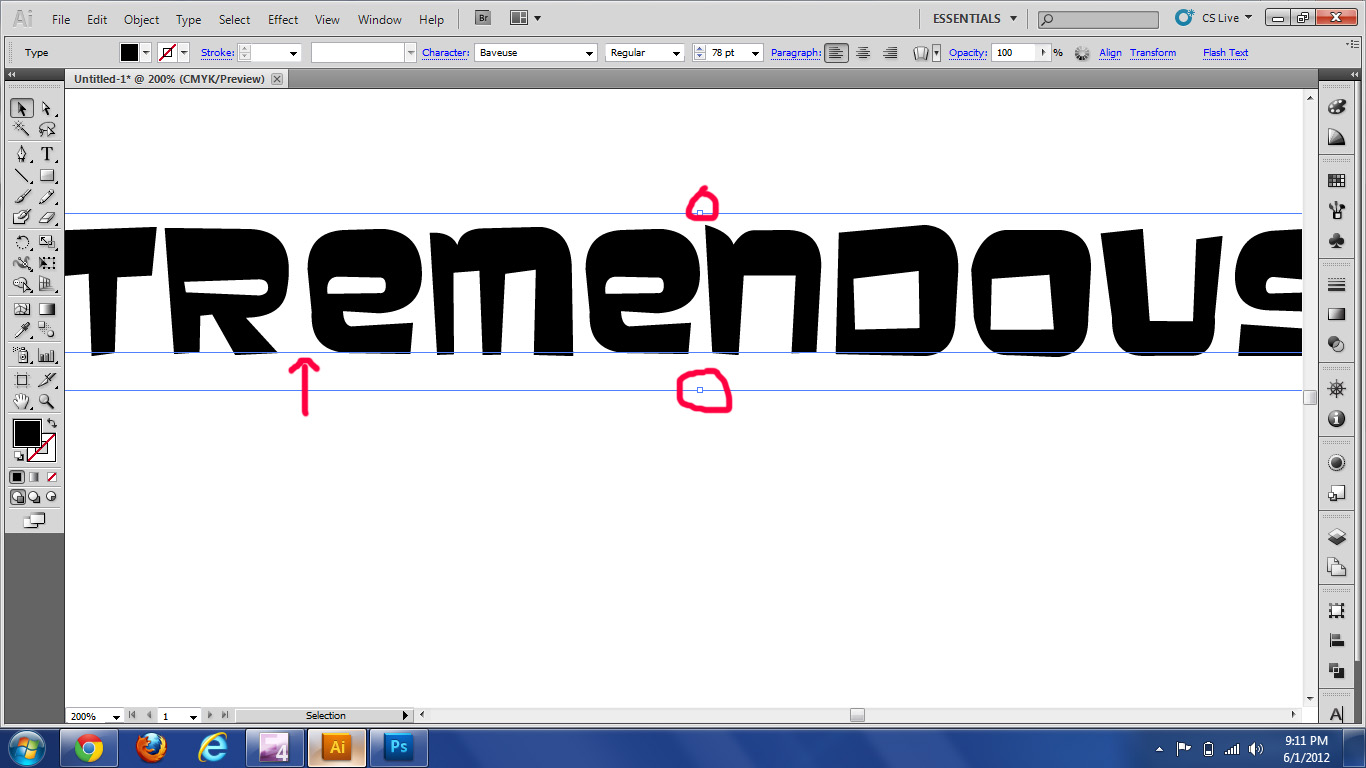
- Select all the text, notice how there is a line under all and each one of the letters, how there is a beizer curve in each corner of the square that selects the text and non that make the letters.
- Now go to the Type menu and scroll down to the create outlines option (or the shortcut: CRTL + Shift+ O). You will be able to see the difference now there are Beizer curves on every corner of each letter and check the layers, now there is a group that contains each shape.
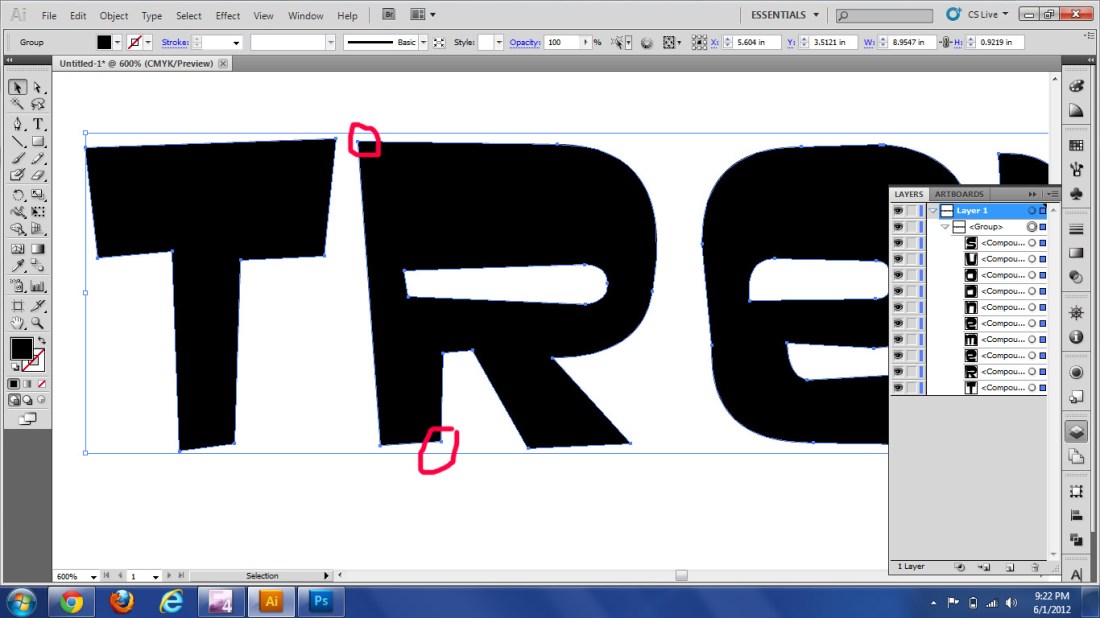
So, now you can save the file as a copy and send it to another computer, another person, or even the printer, and you will not have problems with the other computer not having the font file, there will be no font substitution. But there is another reason I like to convert the text to outlines, an that is to change the letters, make it thinner, fatter, elongate the steam, or unite 2 of them, etc… Oh! and don’t let me forget that you can fill each letter with gradients now that they are shapes, which is something you can’t do if they are still text. Play with it, experimenting is the most fun way to lear 😀
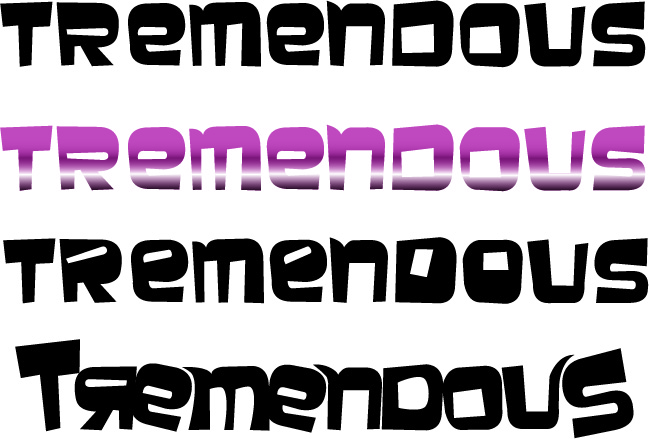
Variations on a theme
I would love to see, hear or read about how you are applying this tutorial, or if you have questions that still need answering about it, please comment 🙂
 And the best part of all… i get a model release to do what ever I want with these pictures (read it with a grin)
 murradesigns